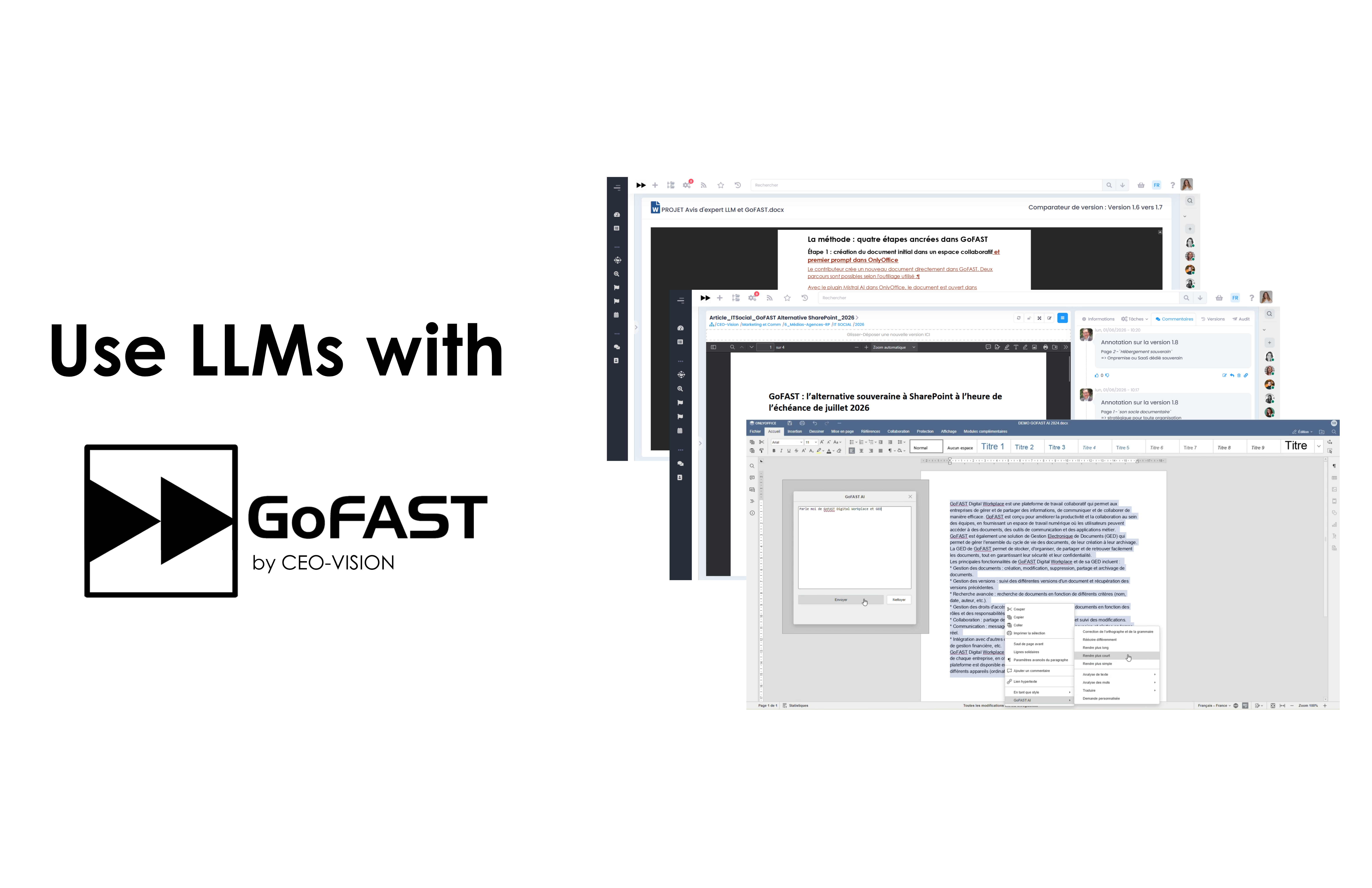
How to integrate a Large Language Model (Mistral, Claude, ChatGPT…) into GoFAST to produce traceable, iterative, and collaborative documents
Large Language Models (LLMs) such as Mistral, Claude, or ChatGPT significantly accelerate document production. However, in a professional context, a key challenge quickly arises: How can we ensure traceability of the exchanges that led to a final version? and How can collaborative work be organized?
At CEO-Vision, we have defined a practical method for LLM-assisted document creation, based on the native capabilities of GoFAST.
The observation: LLM conversations often remain outside the document lifecycle
When a user writes with an LLM, they go through multiple prompts and re-prompts within the same conversation. The final document is then copied, modified, or reworked outside the conversational tool, while the history that led to the result is gradually lost.
This approach has several limitations:
- Lack of traceability: it becomes difficult to identify which prompt produced which version;
- Limited collaboration: other team members do not have access to the generation context;
- Loss of knowledge capitalization: AI exchanges remain isolated in individual tools instead of being integrated into the organization’s documentary heritage.
The method: four steps embedded in GoFAST
Step 1: creation of the initial document in a collaborative space and first prompt
The contributor creates a new document directly in GoFAST. Two workflows are possible depending on the tools used:
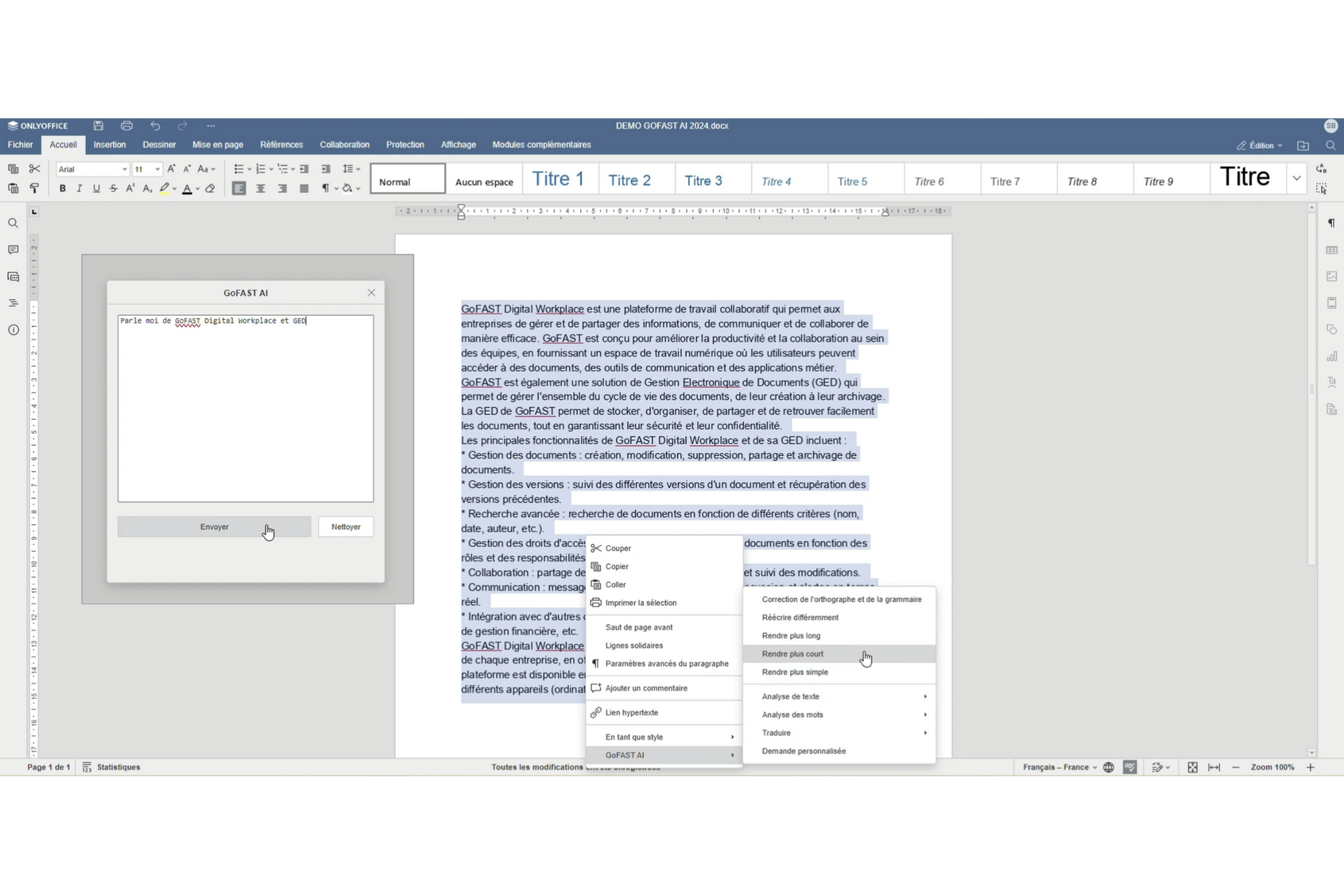
- With the Mistral AI plugin in OnlyOffice: the document is opened in OnlyOffice and the initial prompt is written via the Mistral plugin without leaving the editor. The generated content is immediately integrated into the document: outline, paragraph writing, summarization, rewriting, translation…
- With an external LLM (Claude, ChatGPT…): the contributor writes a first version in the LLM interface, then imports the file into GoFAST via drag and drop.
In both cases, the document automatically inherits the access rights of its collaborative space and benefits from the platform’s native versioning system.
Step 2: linking the source conversation
Two cases depending on the LLM used:
- Mistral AI plugin in OnlyOffice: the prompt is copied into the document comments. The trace is preserved as close as possible to the content, directly within the document, accessible to all authorized contributors.
- External LLM (Claude, ChatGPT…): the link to the conversation is attached to the document via GoFAST metadata, in the “external links” field.
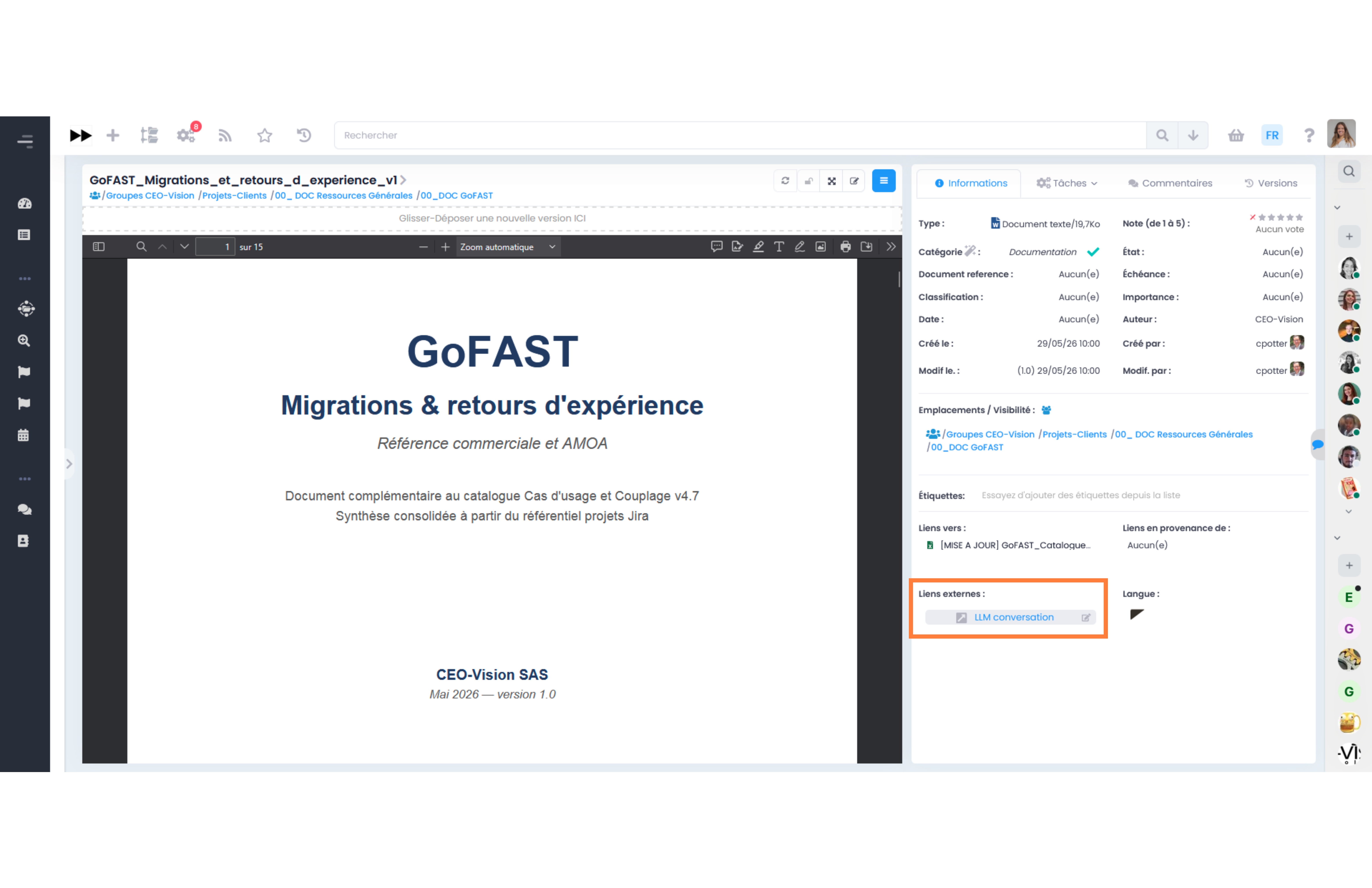
In both cases, the relationship between the document and its production context becomes explicit, verifiable, and auditable.
Step 3: annotating sections that need revision
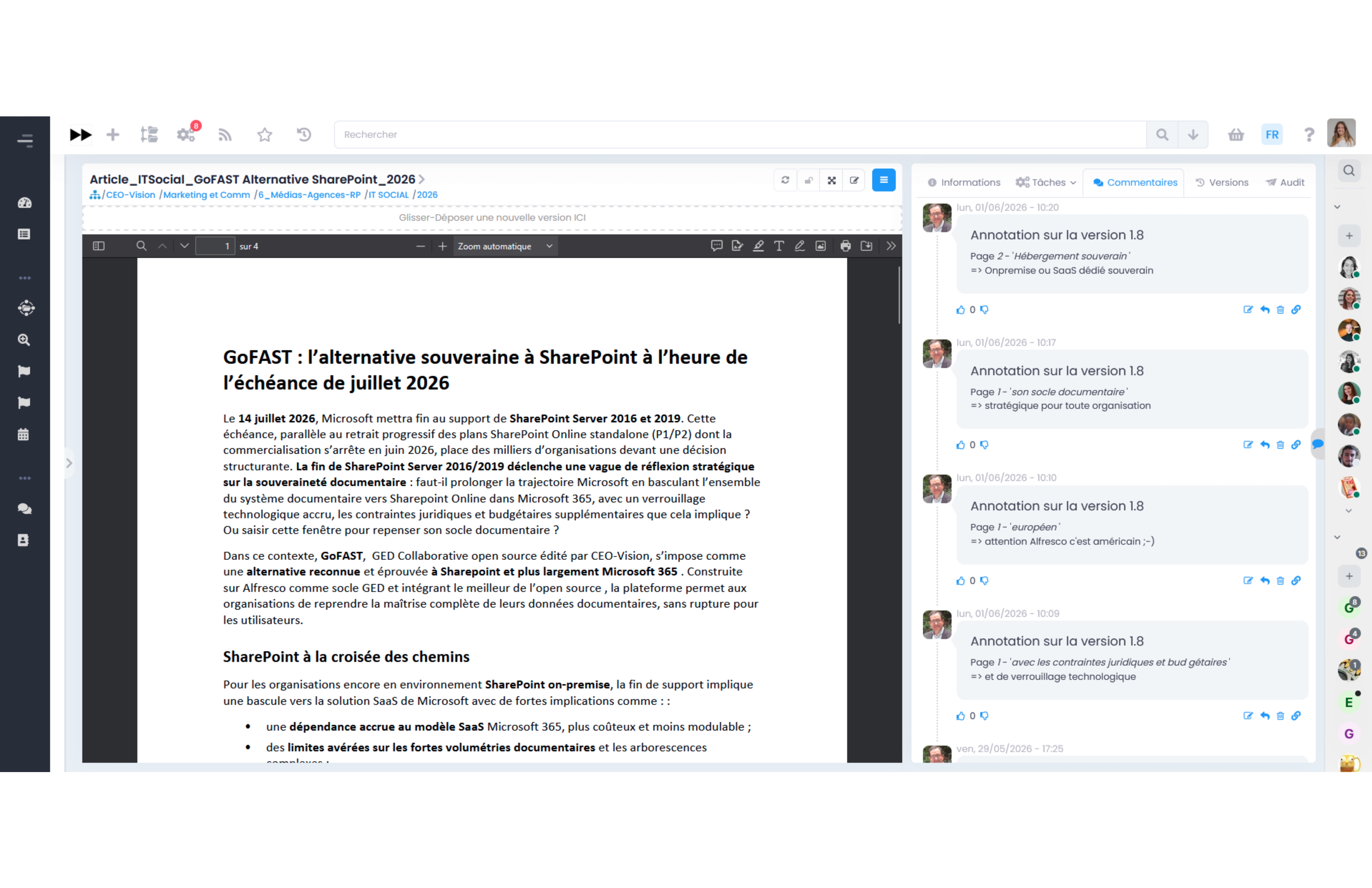
Contributors directly annotate within GoFAST the sections that require revision. These annotations then serve as the basis for the re-prompt sent to the LLM. Correction requests become structured, shared, and contextualized.
Step 4: re-prompting, new version, and change control
Re-prompting follows two approaches depending on the LLM used:
Mistral AI plugin in OnlyOffice: each prompt is processed independently, without memory of previous exchanges. To relaunch a coherent request, the contributor reuses the initial prompt stored in the document comments, enriches it with a summary of the annotations, and submits this enriched prompt to the plugin.
External LLM (Claude, ChatGPT…): the re-prompt is executed within the continuity of the original conversation, based on the summary of annotations.
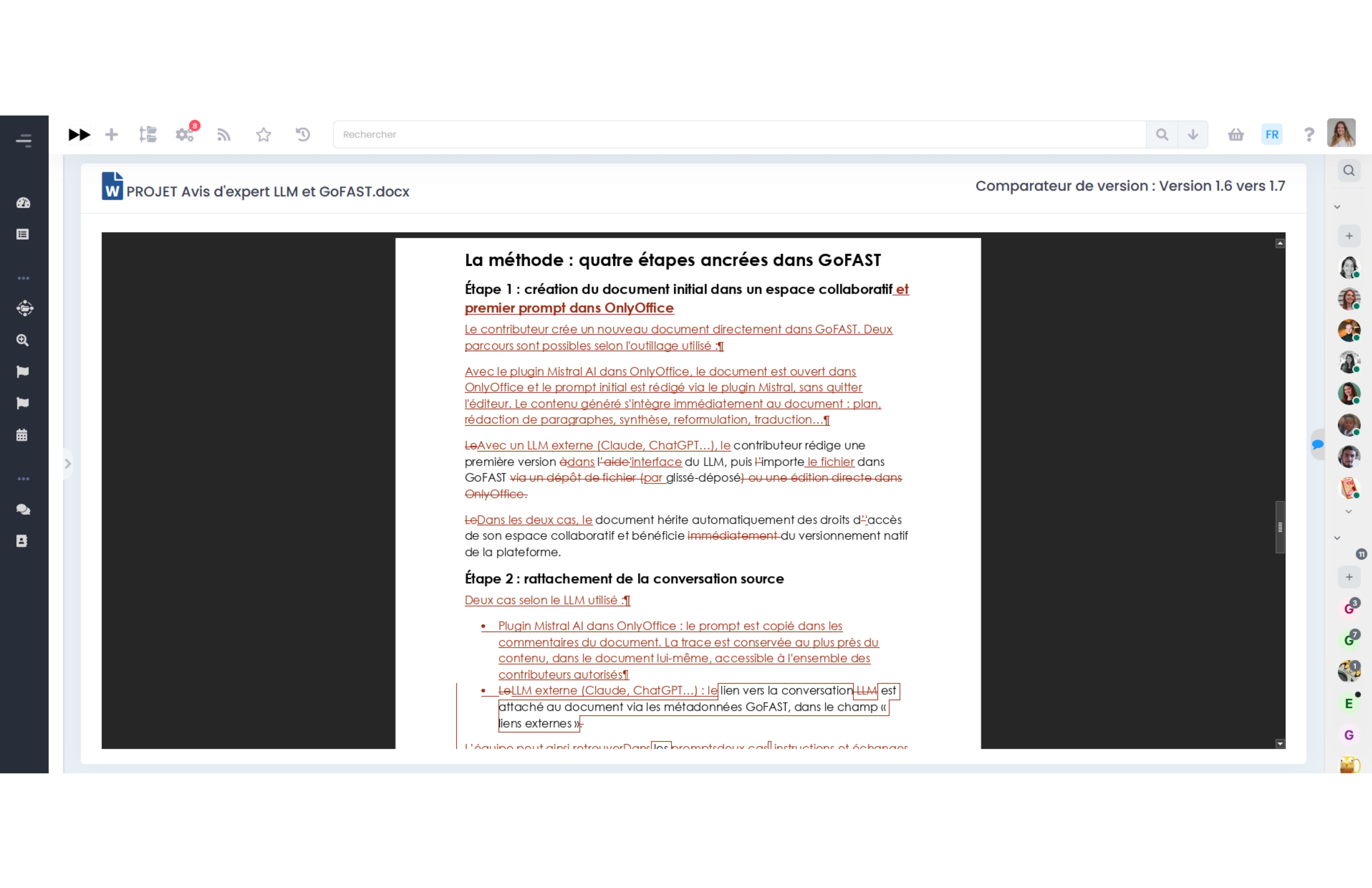
In both cases, the new output is saved as a new version of the document in GoFAST. The version comparison tool then allows precise verification of changes, paragraph by paragraph, and helps decide whether another iteration is needed.
Why GoFAST is particularly well suited to this use case
Several native GoFAST features support this workflow:
- Integrated OnlyOffice with Mistral AI plugin: content generation directly within the document, without switching tools;
- Native version management: each import becomes a timestamped version;
- Version comparison tool: precise visualization of differences between two versions;
- Collaborative annotations: contextual comments directly within the content;
- External links associated with documents: linking of the LLM conversation;
- Collaborative spaces: simultaneous work by multiple contributors on the same document workflow.
Conclusion
LLMs significantly accelerate document production, but their real value depends on an organization’s ability to trace, share, review, and govern the content produced.
Beyond traceability and collaboration, the use of the Mistral AI plugin within OnlyOffice provides a decisive advantage in terms of sovereignty. As Mistral is a French model, deployable on-premises or on European-owned cloud infrastructure, document content remains within a controlled perimeter. No excerpt is transmitted to a service subject to extraterritorial laws such as the Cloud Act. In contrast, an external LLM hosted outside Europe exposes every prompt and document passage to this risk, which quickly becomes a blocker for sensitive or classified content.
With OnlyOffice and the Mistral AI plugin directly integrated into GoFAST, document management systems do not disappear with AI: they become the structuring framework for it. The prompt, the document, and its history live in the same place, within a sovereign and collaborative environment.