A traditional DMS files and archives. A collaborative DMS goes further: it becomes the daily workspace of your teams, where documents are created, co-edited, validated and shared without ever leaving the platform. It's the difference between a document vault and a true Digital Workplace.
Whether you are drafting specifications or evaluating your current platform, here are the 10 features that distinguish a true collaborative DMS from a simple storage space.
1. A SINGLE DOCUMENT REPOSITORY
The primary role of a DMS is to put an end to dispersion: saturated file servers, attachments circulating by email, diverging local copies. Each document must exist as a single reference copy, accessible to everyone with the right to see it.
This single repository relies on:
A filing plan: structured by workspaces and folders
Metadata: qualifying each document by its type, status, entity, project
Fine-grained access rights: by workspace, group, confidentiality level
Permanent links: a moved document remains accessible via the same URL
No more "final_report_v3_DEF(2).docx" sent by email. Everyone accesses the right version, in the right place, with the right permissions.
2. REAL-TIME CO-EDITING
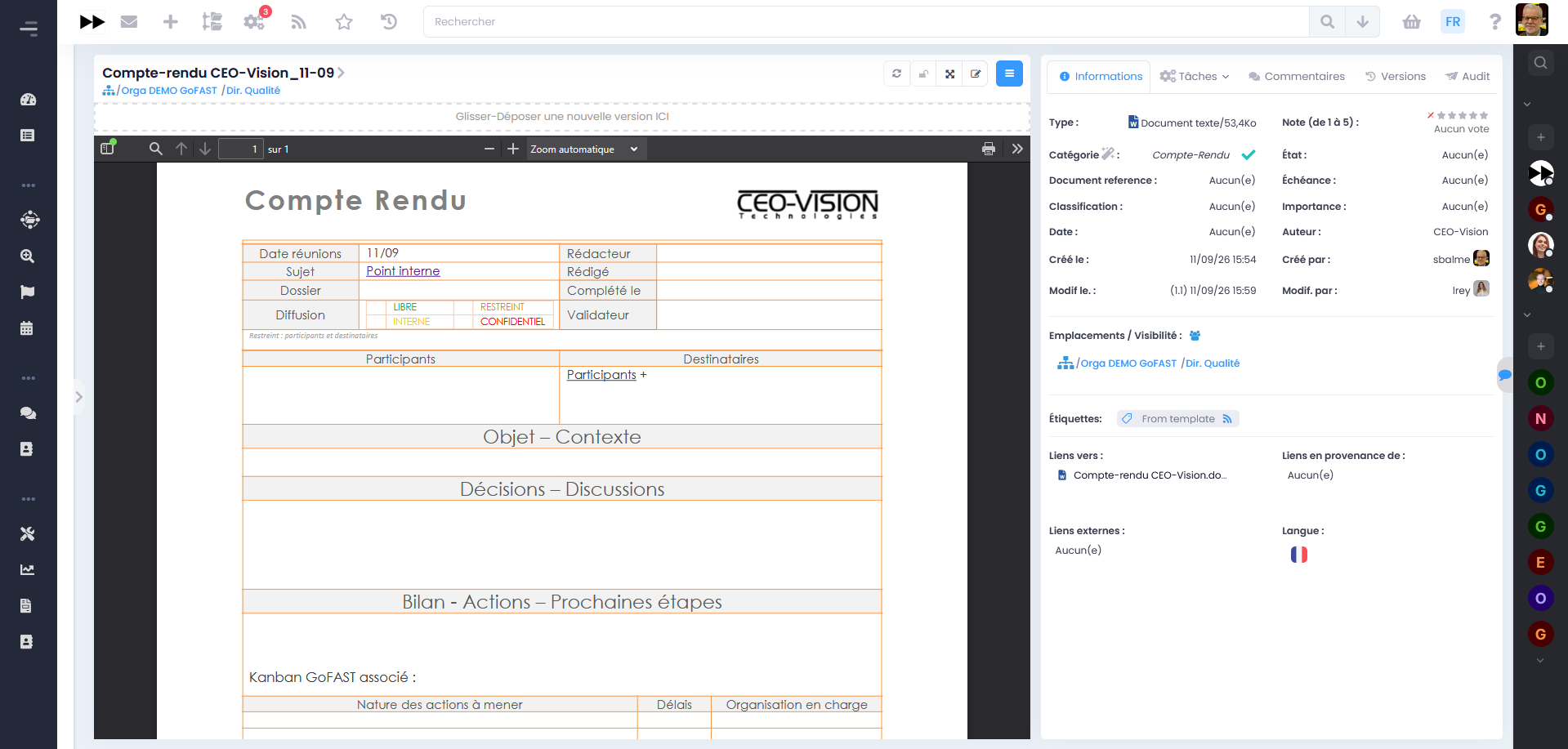
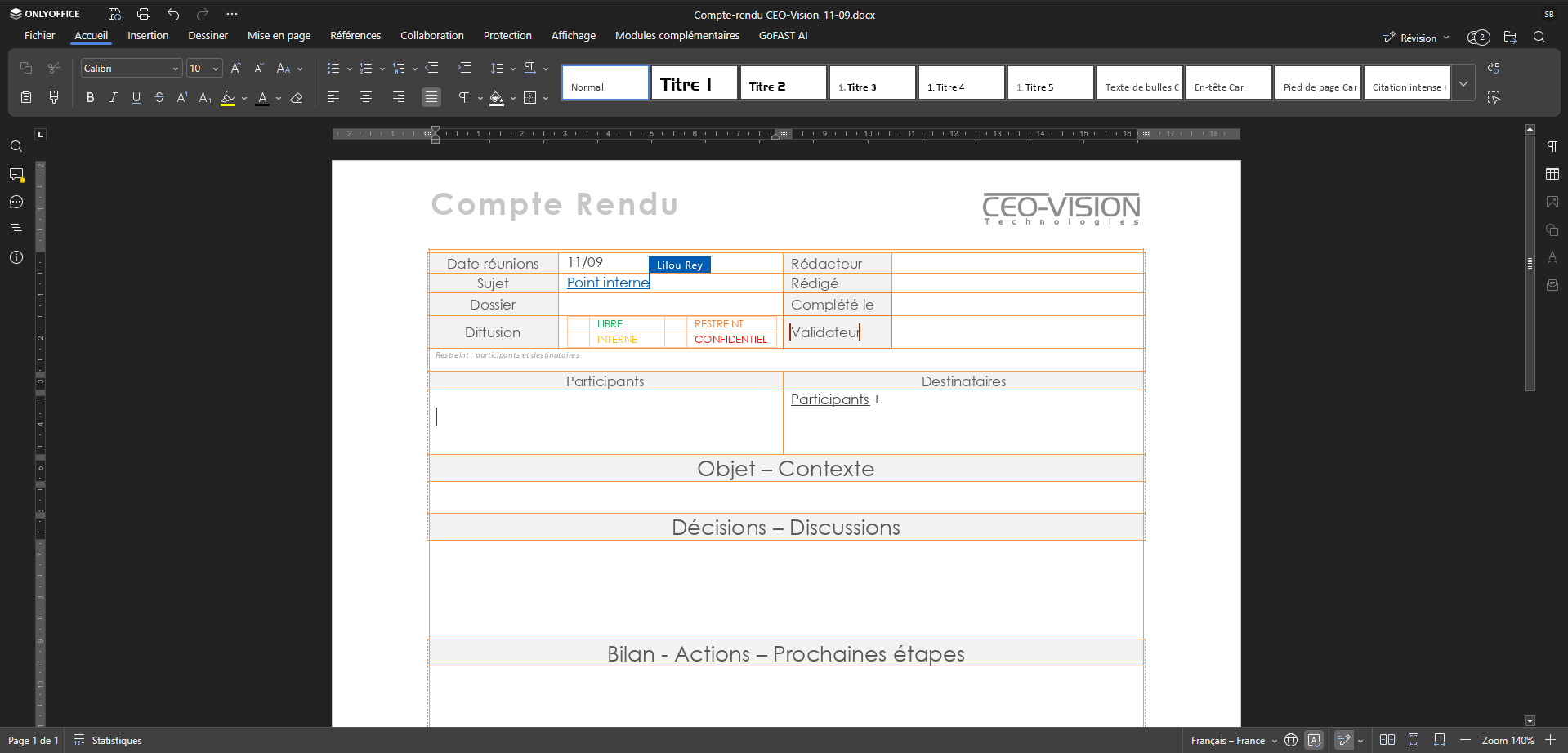
This is the feature that turns a DMS into a collaborative DMS. Real-time co-editing makes it possible to draft a report, consolidate a budget or finalize a presentation together, at the same time, without exchanging versions by email.
Co-editing must allow you to:
Edit simultaneously: texts, spreadsheets and presentations, directly in the browser
See in real time: changes and the presence of other contributors
Comment and suggest: without altering the document
Maintain compatibility: with standard office formats (docx, xlsx, pptx)
Considerable time savings, since everyone works together on one and the same document, without multiplying versions and back-and-forth. All 100% Full-Web: no installation, no office licence per workstation.
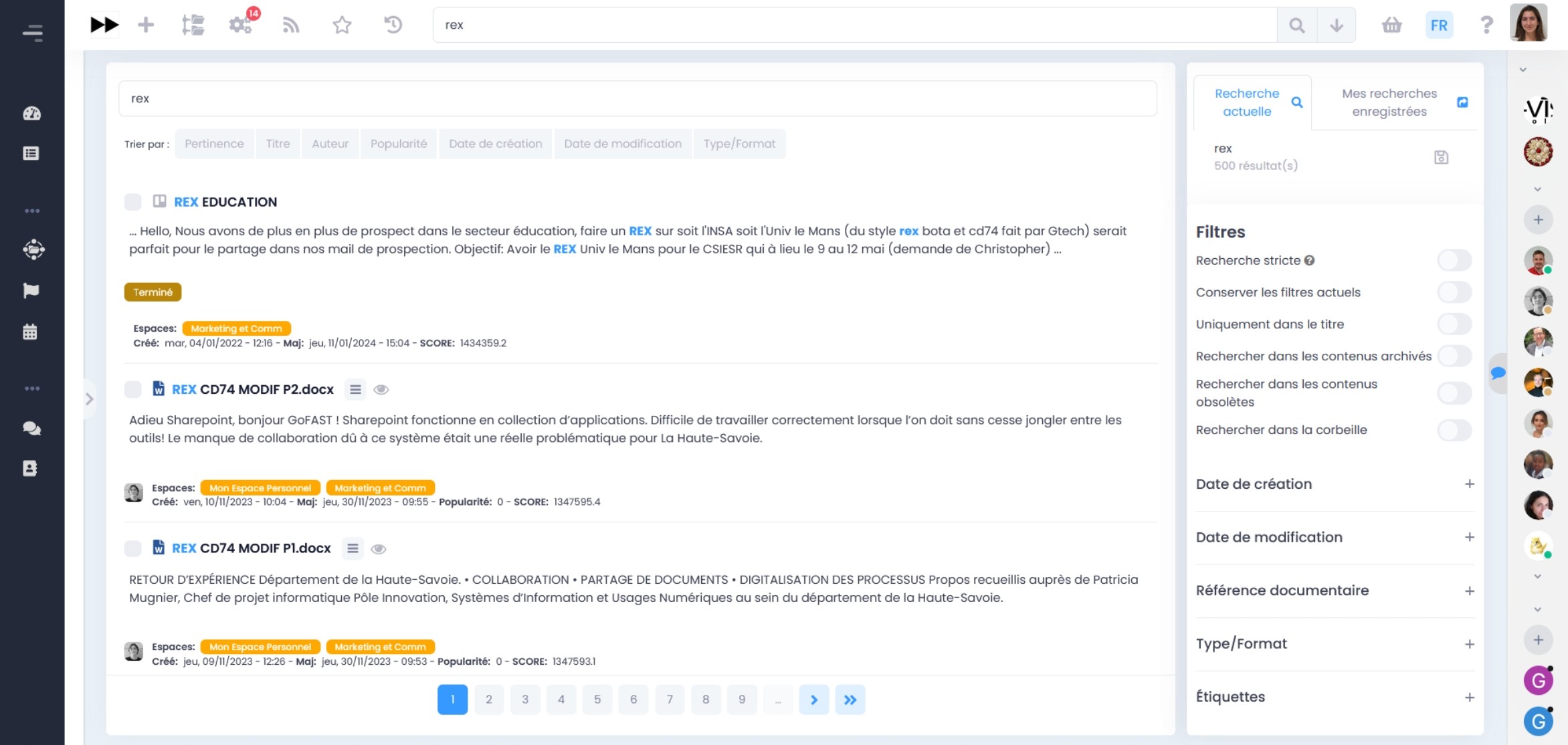
3. The full-text search engine
Information that cannot be found is information lost. Employees spend considerable time searching for documents, or worse, recreating what already exists.
A powerful search engine relies on:
Full-content indexing: the body of documents, including PDFs
Facets and filters: by metadata, type, workspace, author, date
Suggestion and autocompletion: as soon as you start typing
Respect for access rights: everyone only sees what they are authorized to see
The test is simple: finding a document in a few seconds without knowing its title or location. This is what distinguishes a true DMS from a simple online file server.
4. Versioning and traceability
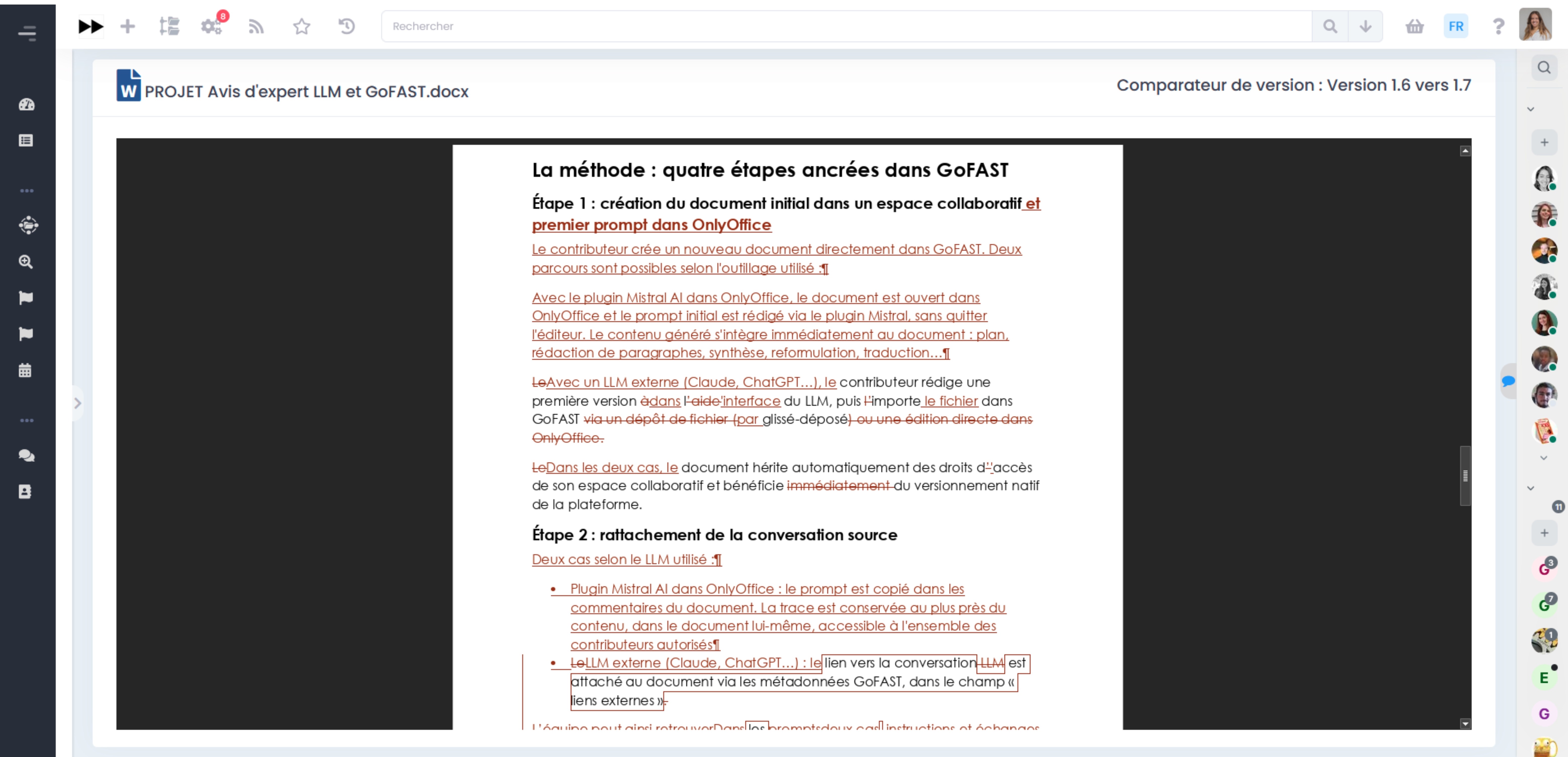
Finding out who modified a document, which version was approved in committee, or reverting to a previous state: operations that are impossible with a file server or email attachments. A collaborative DMS guarantees this traceability natively, with no effort required from users.
This traceability relies on:
A complete version history: created automatically with each modification
The version comparator: visualize what changed between two states of the document
Restoration: revert to a previous version in one click
The audit trail: who viewed, modified, validated, and when
Everyday security for all users, and a non-negotiable requirement for regulated sectors and binding documents. No one loses their work anymore, and every decision remains traceable.
5. Validation workflows
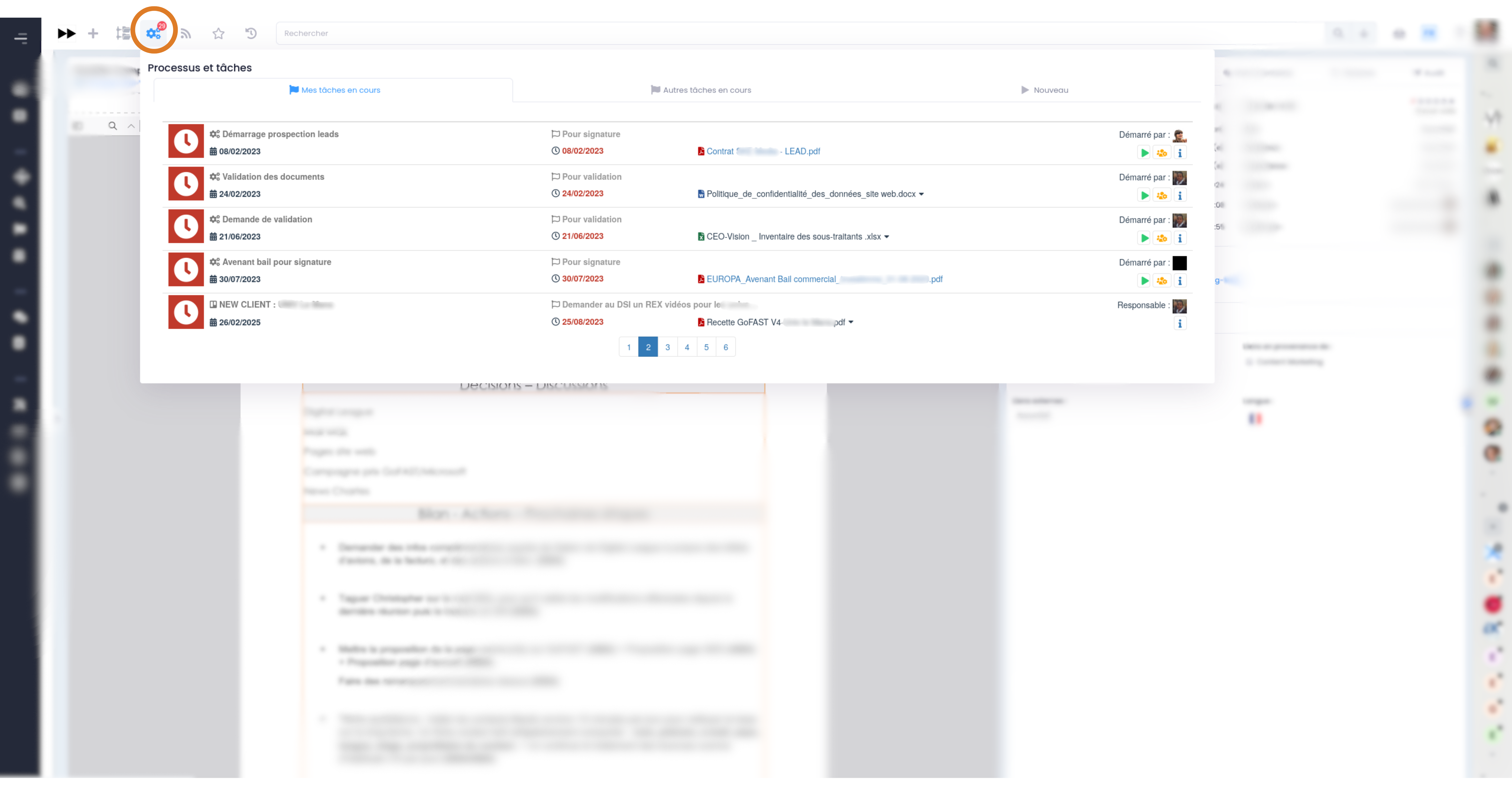
How many approvals get lost in mailboxes today? Document workflows must carry review and approval circuits within the platform: the document moves from stage to stage and its status is visible to all.
Document workflows make it possible to:
Configure circuits: review, validation and distribution
Notify and follow up automatically: each participant is prompted at the right time
Track in real time: the progress of each document
Cover all cases: from a simple "approved for release" to a full quality process
The validated document carries its status: no more ambiguity about the reference version. Approval circuits move forward on their own, without manual follow-ups or validations lost in mailboxes.
6. Instant messaging and videoconferencing
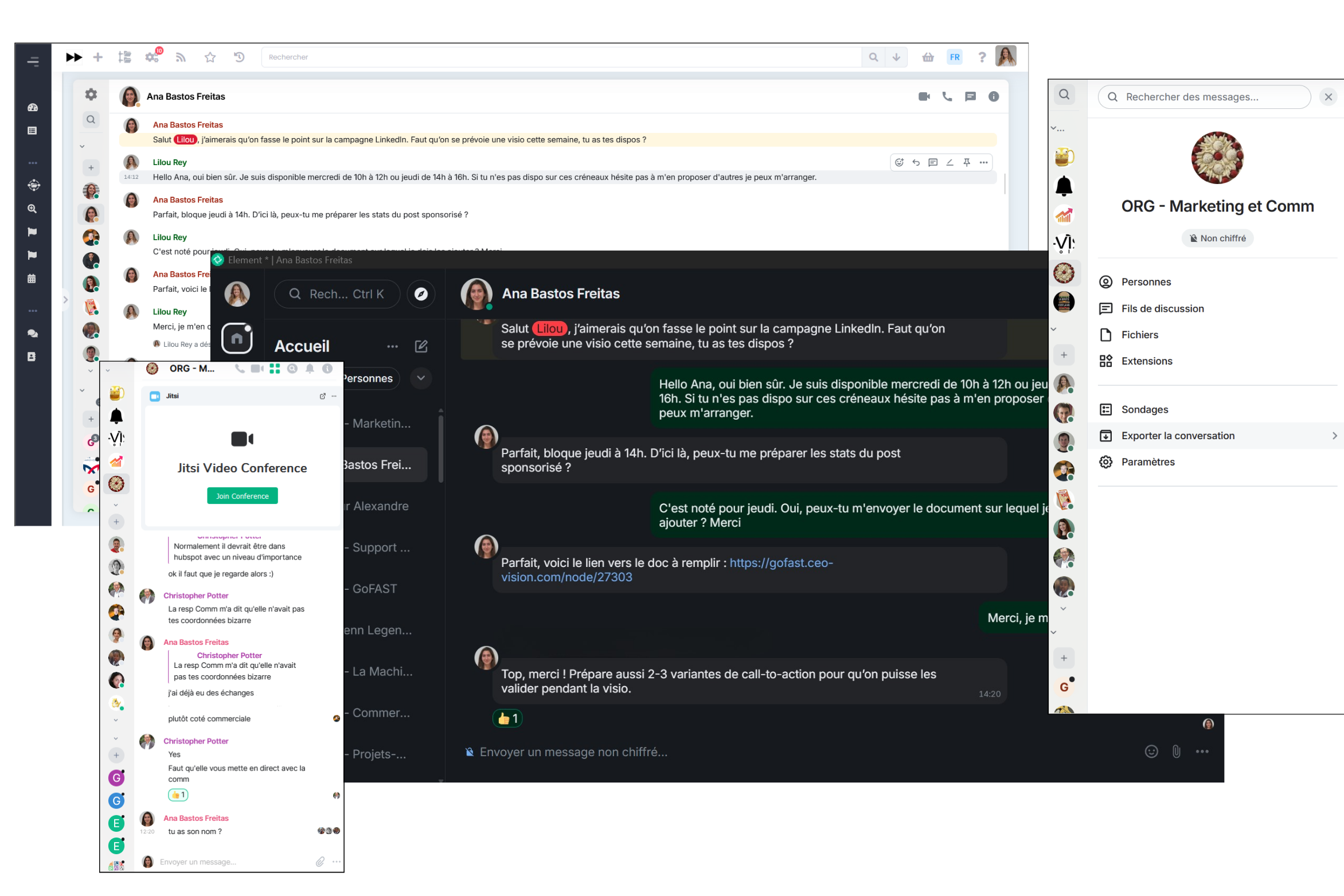
Discussing a document in one tool and storing it in another means losing context. A collaborative DMS integrates discussions where the work is, with instant messaging and videoconferencing.
Integrated communication brings together:
Contextual chat: per workspace, linked to the relevant documents
Videoconferencing: a meeting launched in one click from the workspace, without third-party tools
Notifications: be alerted to the changes and discussions that concern you
Discussions stay attached to their workspace, instead of feeding threads that are impossible to find six months later. Context is preserved, and each project keeps track of the discussions that concern it.
7. Secure internal and external sharing
Organizations do not work in isolation: partners, service providers, members, other administrations. External sharing must be as simple as internal sharing, but governed.
Controlled sharing relies on:
Extranet workspaces: dedicated to collaboration with the external ecosystem
Secure links: rather than uncontrolled attachments
Time-limited permissions: access expires, the document remains governed
Strict compartmentalization: impossible to access other people's workspaces
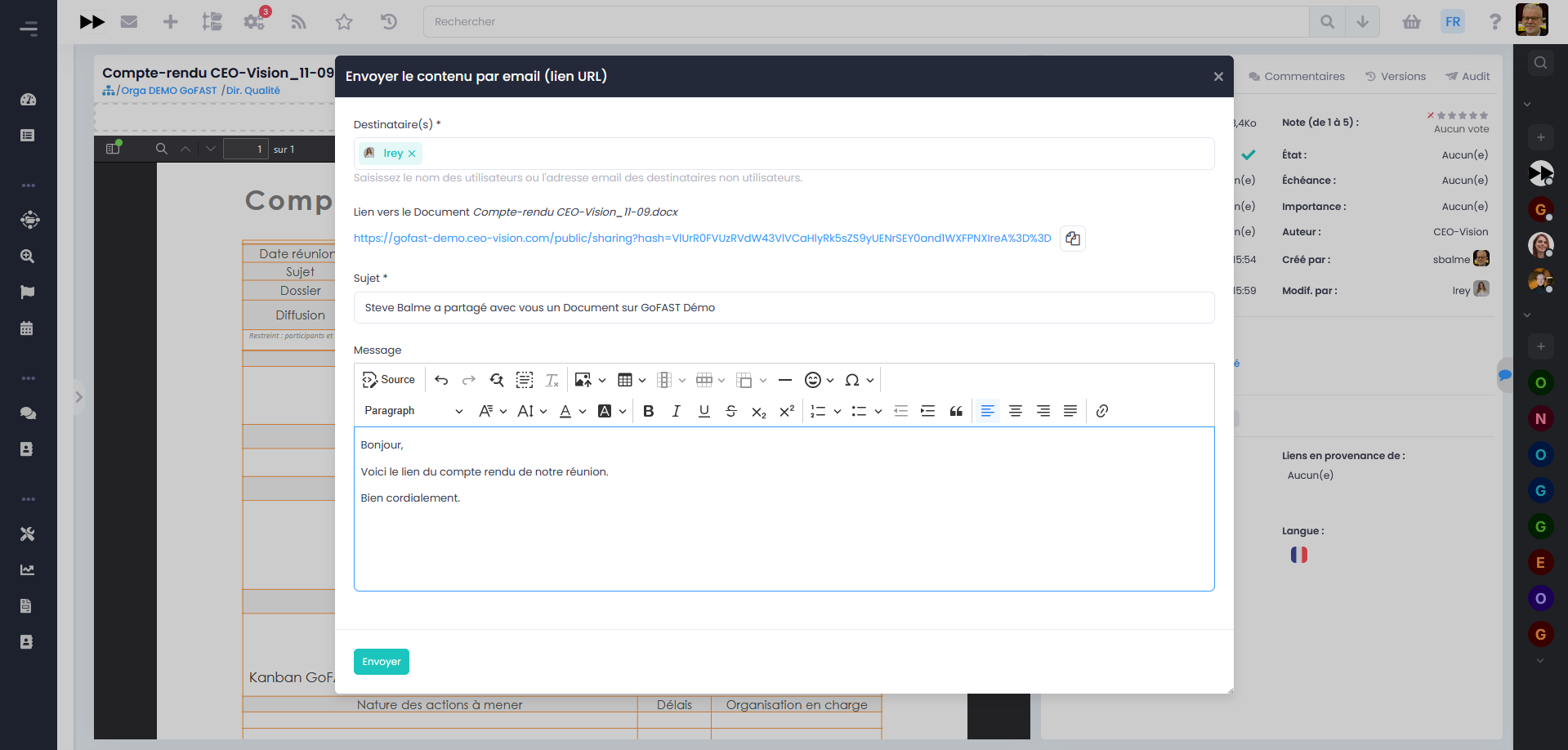
Collaboration extends to the entire ecosystem without ever losing control, with platform-native notifications for internal sharing and secure download links for external sharing. No more documents circulating by email and permanently escaping all governance.
8. Lifecycle management and archiving
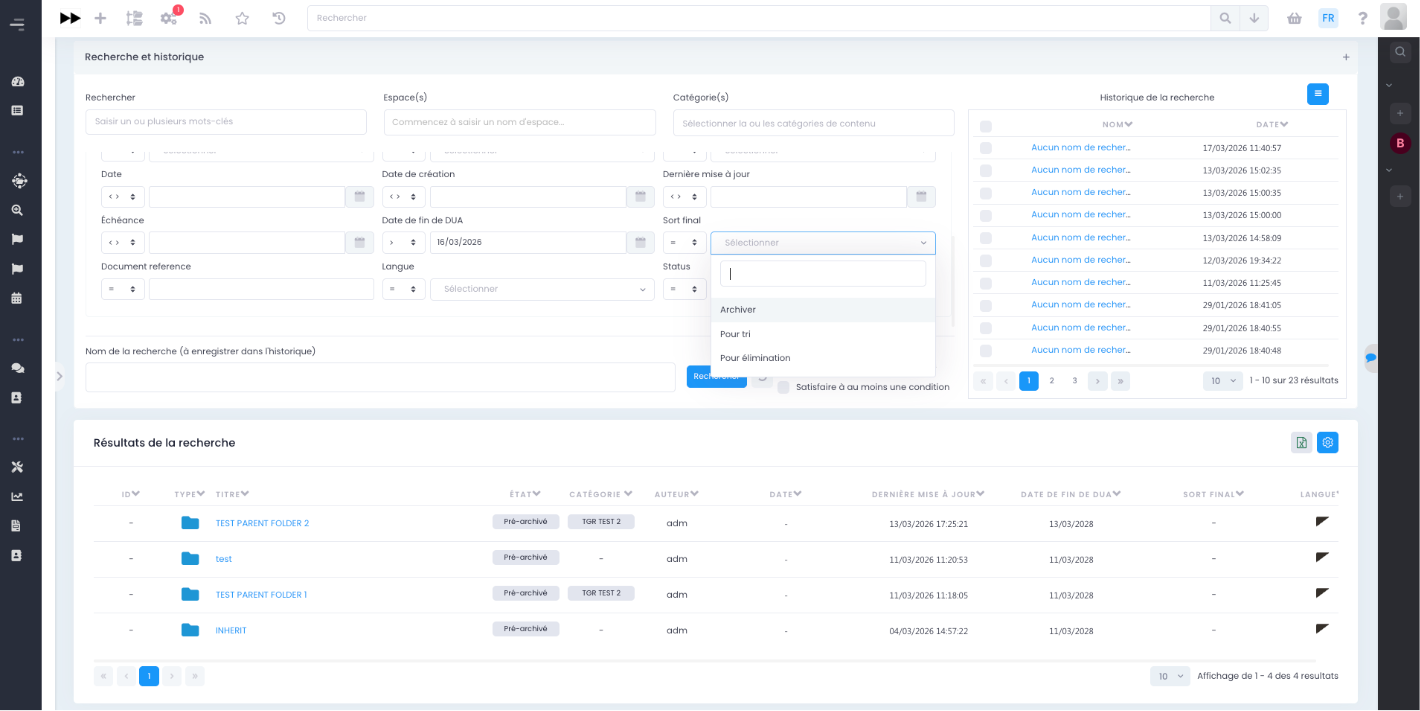
A document has a life: creation, validation, distribution, retention, final disposition. A collaborative DMS manages this cycle automatically, without manual intervention document by document.
Lifecycle management includes:
Retention rules: applied automatically according to document type
Certified-date archiving: for documents with evidential value
Final disposition: permanent retention, transfer or traced destruction
Compliance: GDPR and public sector archival requirements
No document sleeps indefinitely in the platform, nor disappears before its legal term. The document lifecycle applies itself, in compliance with regulatory obligations.
9. Electronic signature and signature books
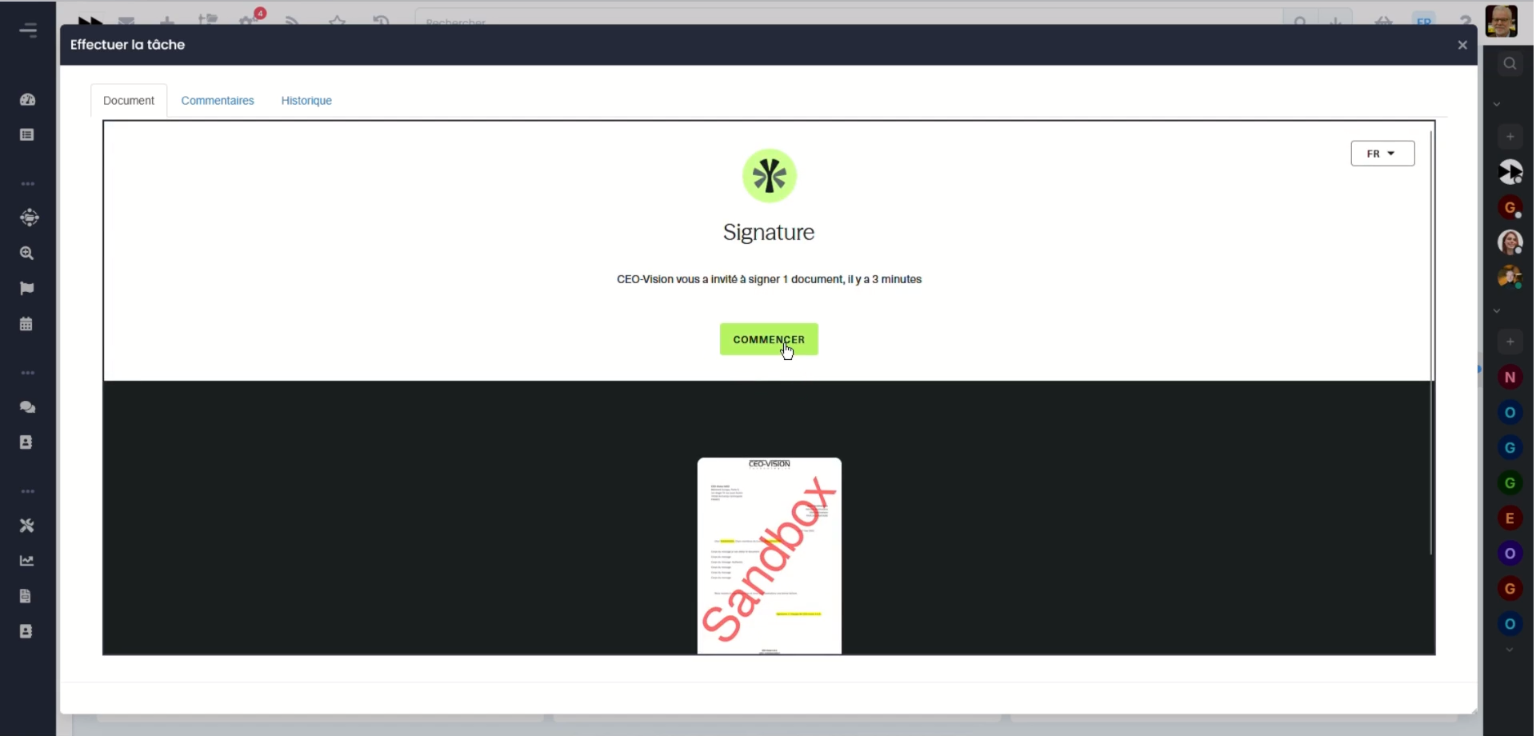
Printing to sign, scanning to file: this circuit persists in far too many organizations. The signature must be integrated directly into the document circuit, from the first draft to the signed version.
Signature integration covers:
eIDAS-compliant electronic signature: triggered from the validation workflow
Connectors to signature books (parapheurs): essential for the public sector
Automatic filing: the signed document returns to the DMS
Complete traceability: who signed, when, in which circuit
Zero disruption: drafting, validation and signature all take place in the same platform. No more printer and scanner in the signature circuit: the signed document is filed, traced and legally binding.
10. Sovereign AI serving your documents
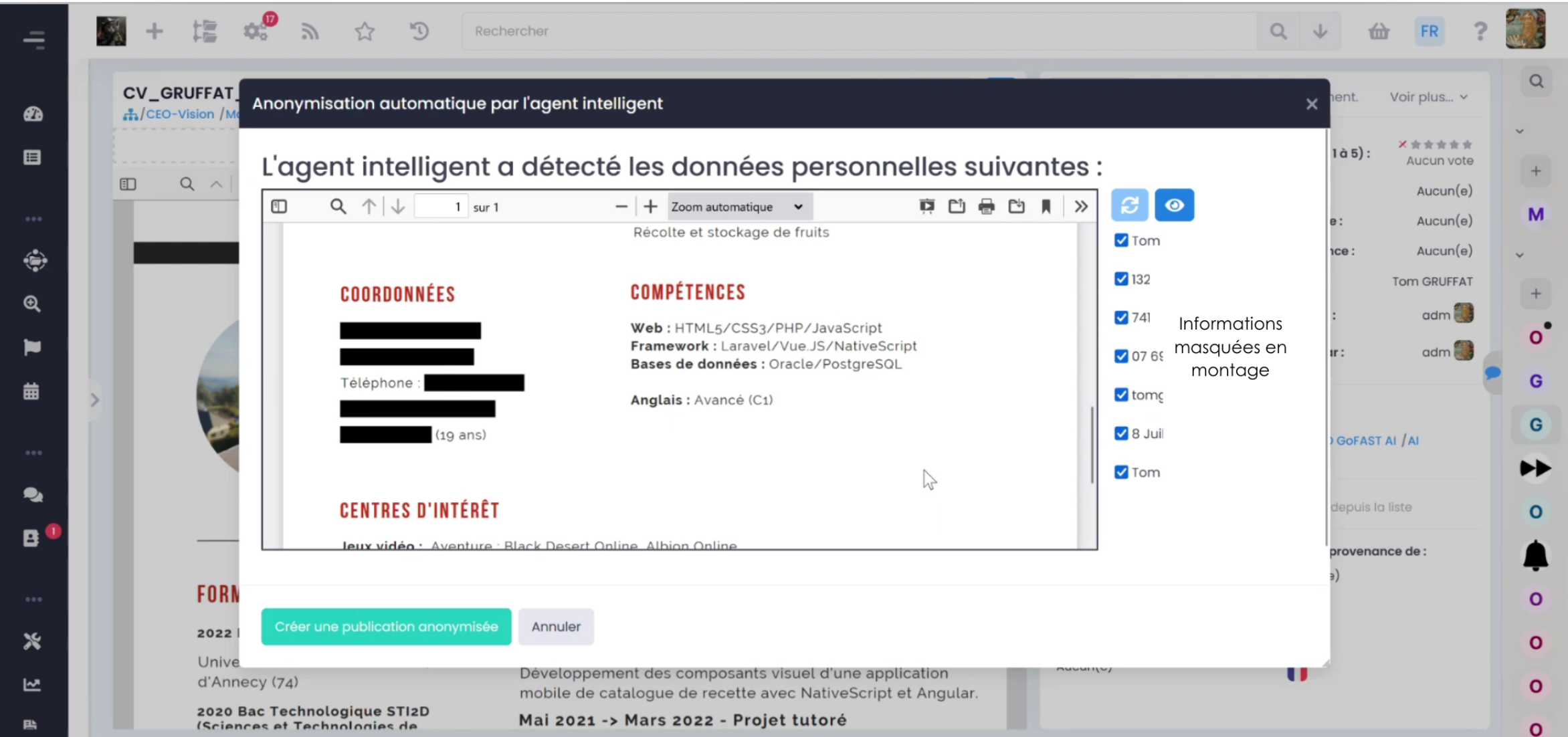
Generative AI is transforming document work. But submitting internal documents to AI hosted outside Europe exposes the organization to extraterritorial laws such as the Cloud Act. A modern collaborative DMS integrates AI without compromising sovereignty.
Sovereign document AI makes it possible to:
Summarize, rephrase, translate: directly within the office suite
Operate AI on-premise or in a European cloud: with no data transfer outside Europe
Trace prompts: AI usage becomes part of document governance
Stay in control: annotate, re-prompt, compare generated versions
AI becomes a document accelerator, not a lawless zone in your governance. Productivity gains are real, without ever exposing the organization's data.
A single platform bringing together these 10 features
GoFAST, natively brings together these 10 features in a single platform: DMS, co-editing, workflows, chat, videoconferencing, directory, messaging, filing, access rights management. It is built on the best open-source components on the market (Alfresco, Bonita, OnlyOffice, Element/Matrix, Jitsi Meet, Apache Solr) and can be deployed On-Premise or as a sovereign SaaS on SecNumCloud-qualified infrastructure.
Organizations such as the Département de la Haute-Savoie (3,000 agents, over 1 million documents), the City of Nanterre (1,700 agents) and Le Mans Université (1,800 users, over 350 documents co-edited with 9 European partner universities) use it as their daily document platform.
A collaborative DMS is not just a list of features: it's their integration in a single, sovereign platform, adopted by users, that makes the difference. These 10 criteria give you a concrete evaluation grid for your document project.